System Overview
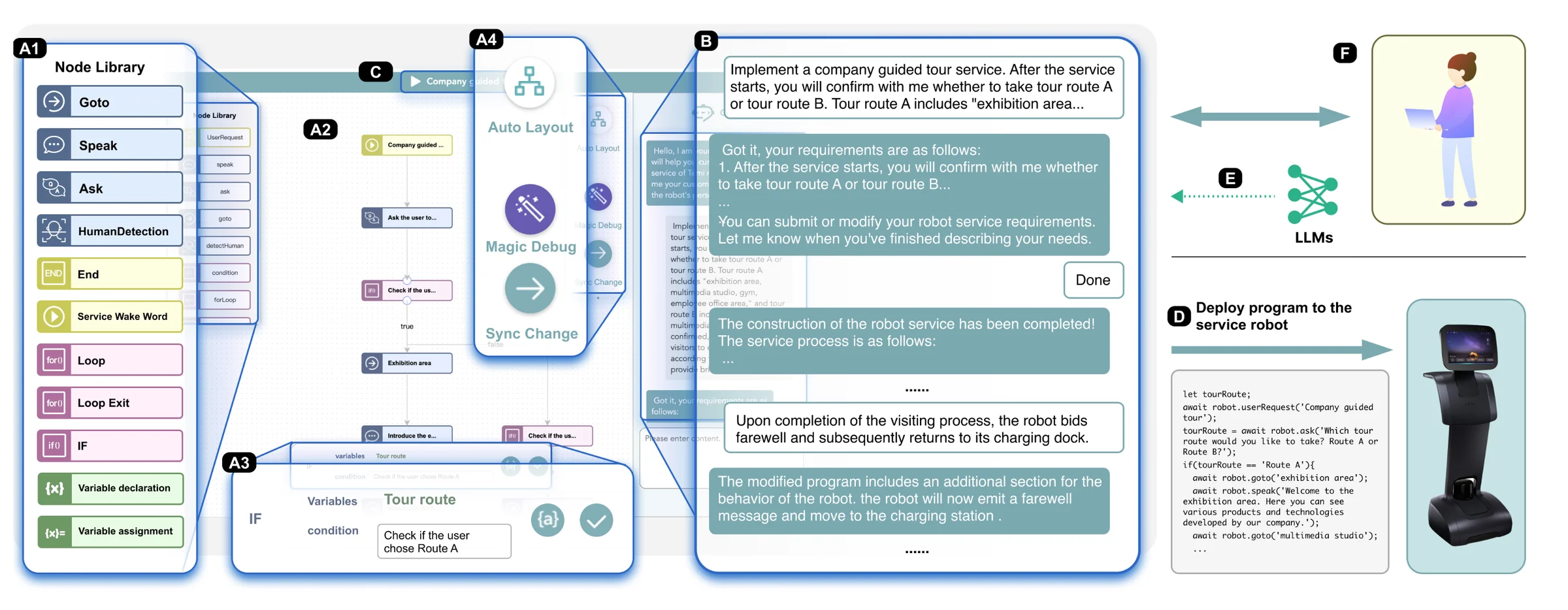
End-user development (EUD) enables non-technical users to tailor service robots to their needs. Among EUD methods, natural language programming is intuitive but often imprecise, leading to misinterpretations between user intentions and program outcomes. Cocobo addresses this by seamlessly integrating natural language and flow-based programming through LLMs, facilitating easier program creation, debugging, and modification while lowering the learning curve for users.
The system’s UI consists of two main views: (A) Flowchart View, which includes a node library, interactive flowchart, node properties panel, and action buttons (Auto Layout, Magic Debug, Sync Change); and (B) Conversational View, which enables natural language interaction between users and the system. Programs can be deployed directly to a physical Temi service robot.
Authoring and Modifying Programs
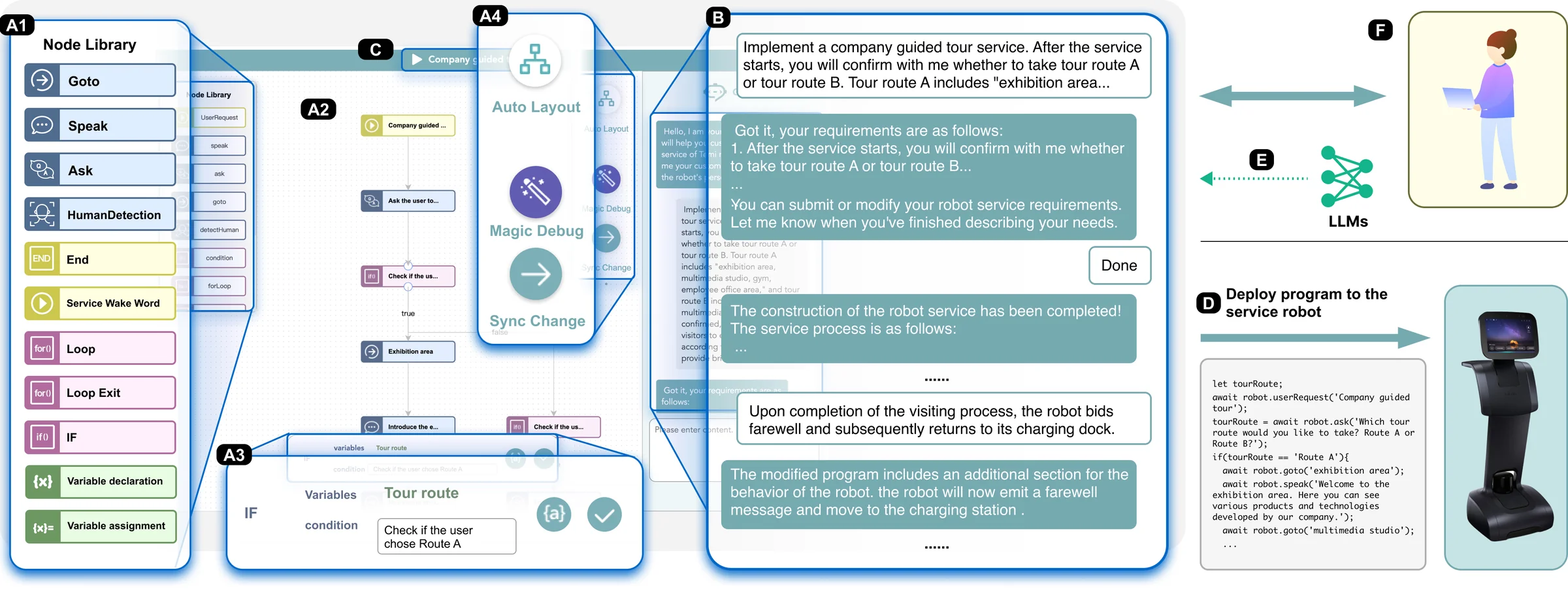
Cocobo supports three complementary ways to create and modify robot programs:
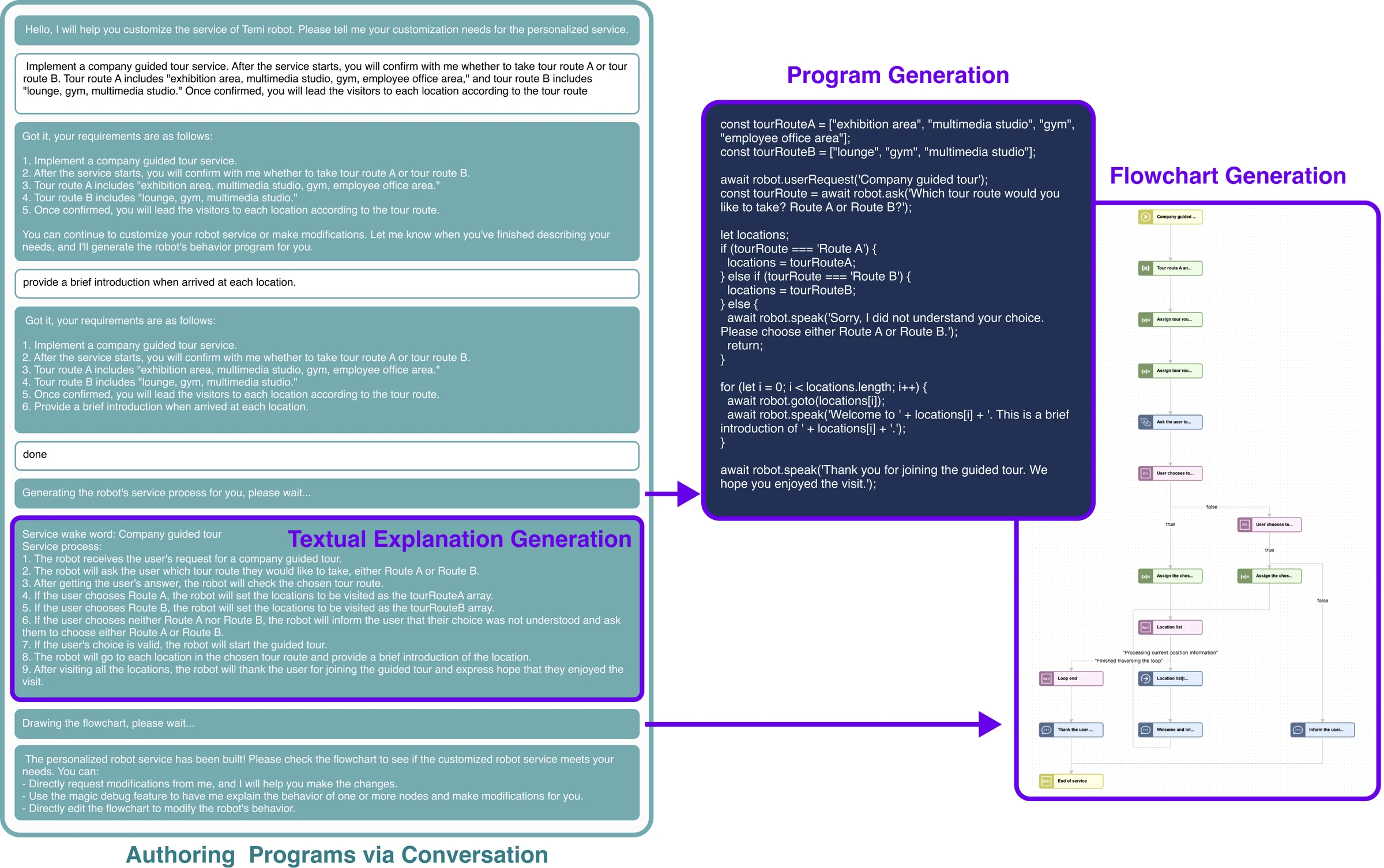
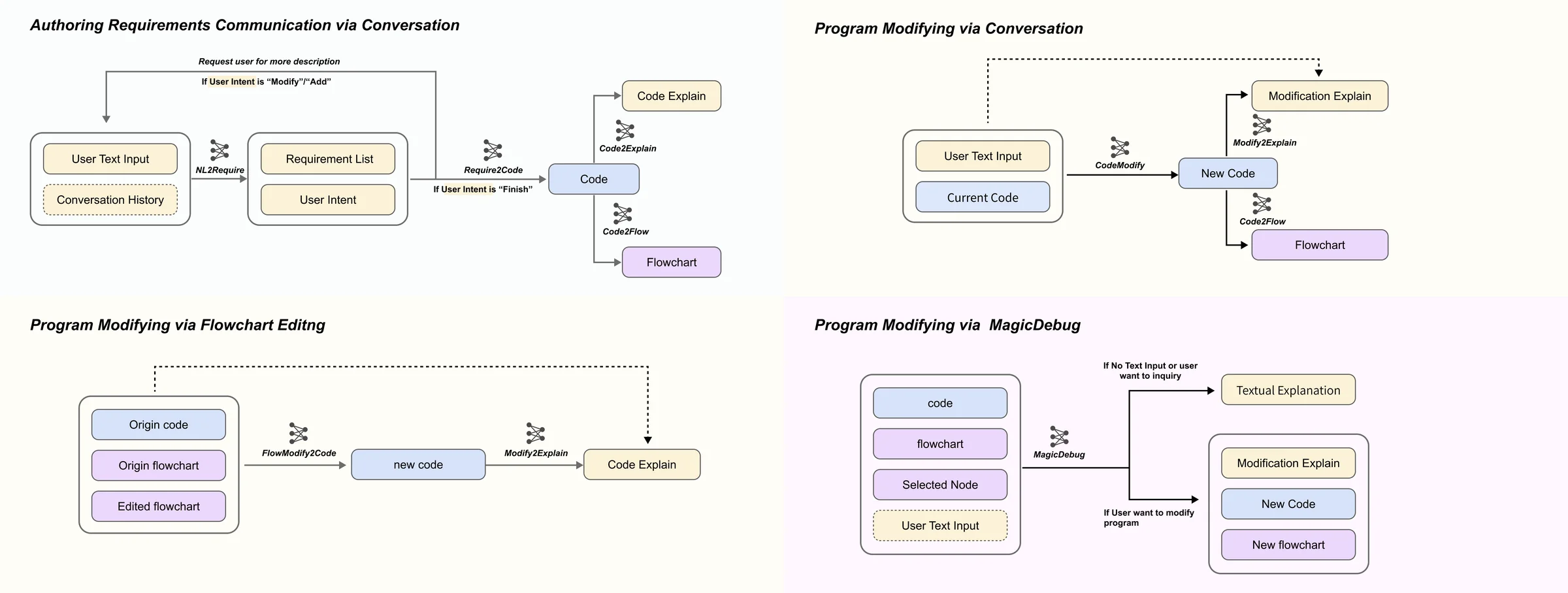
Authoring via conversation: Users specify their customization requirements through multi-turn dialogue. The system generates code, flowcharts, and textual explanations. Users can further refine the program by describing modifications in natural language, and Cocobo regenerates the program and flowchart accordingly.
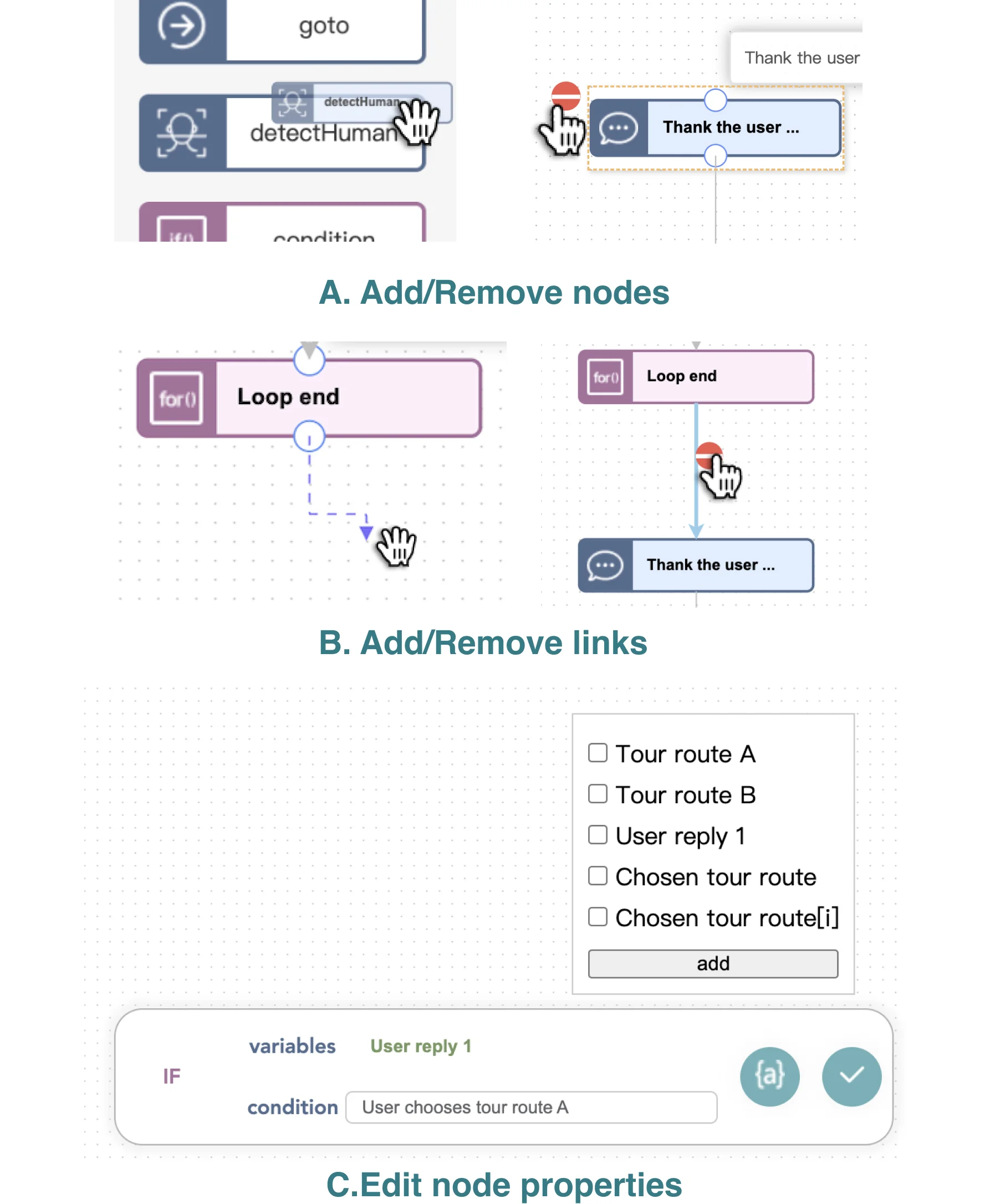
Modifying via flowchart editor: Users can visually confirm that the program aligns with their intentions and directly edit the executable code by adjusting the flowchart — adding or removing nodes, adjusting connections, and modifying node attributes using natural language descriptions rather than code.
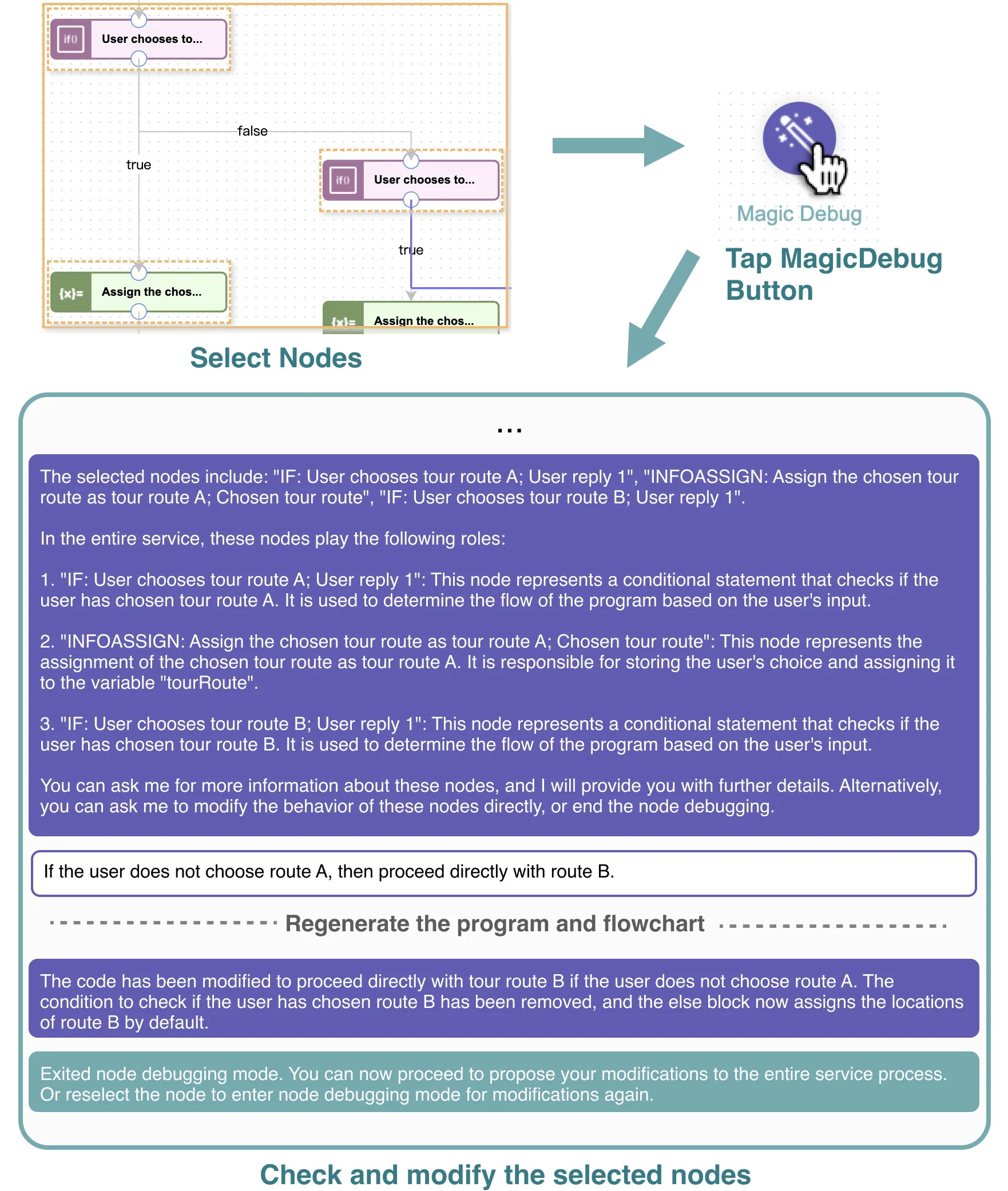
Modifying via MagicDebug: Users select one or more flowchart nodes and activate the MagicDebug function. The system provides explanations about the selected nodes’ behaviors through the conversational interface, then enables targeted inquiries and modifications via text dialogue.
System Architecture
The backend is developed using Node.js, integrating GPT-4 API for LLM-powered functions and controlling the robot by sending WebSocket messages. The frontend employs AntV X6 for flowchart rendering. Cocobo uses Mermaid as an intermediary flowchart description language for its simplicity and scalability, converting it to JSON format for frontend rendering. The prompt preamble is organized into six key segments: [Role], [Context], [Rules], [Workflow], [Output Format], and [Example].
User Study
We conducted a user study with 16 participants (8 males, 8 females, aged 16-30, mean age 22.9) with limited programming experience and varied familiarity with LLM-based tools. The study comprised four phases: introduction, training, testing, and feedback. Participants were given three robot service programming tasks with a 25-minute time limit each.
The SUS score was 72.3, indicating good usability. All participants completed all three tasks, and over half (10/16) finished within the allotted time. Most participants (15/16) reported that the conversational interface felt natural and intelligent. The flowchart interface was found intuitive for representing code by the majority (12/16), helping users quickly understand the main steps and key information. All users agreed that the conversational UI and flowchart UI complement each other well.